Customizing Optimizations through Property Groups
Dashboard metrics and insights, action items, and optimization recommendations (i.e., tasks) are based on projections of provider costs, performance costs, and engineering costs. The optimizations are entirely customizable to ensure your business objectives, performance objectives, and engineering efforts are directly considered.
View Property Groups
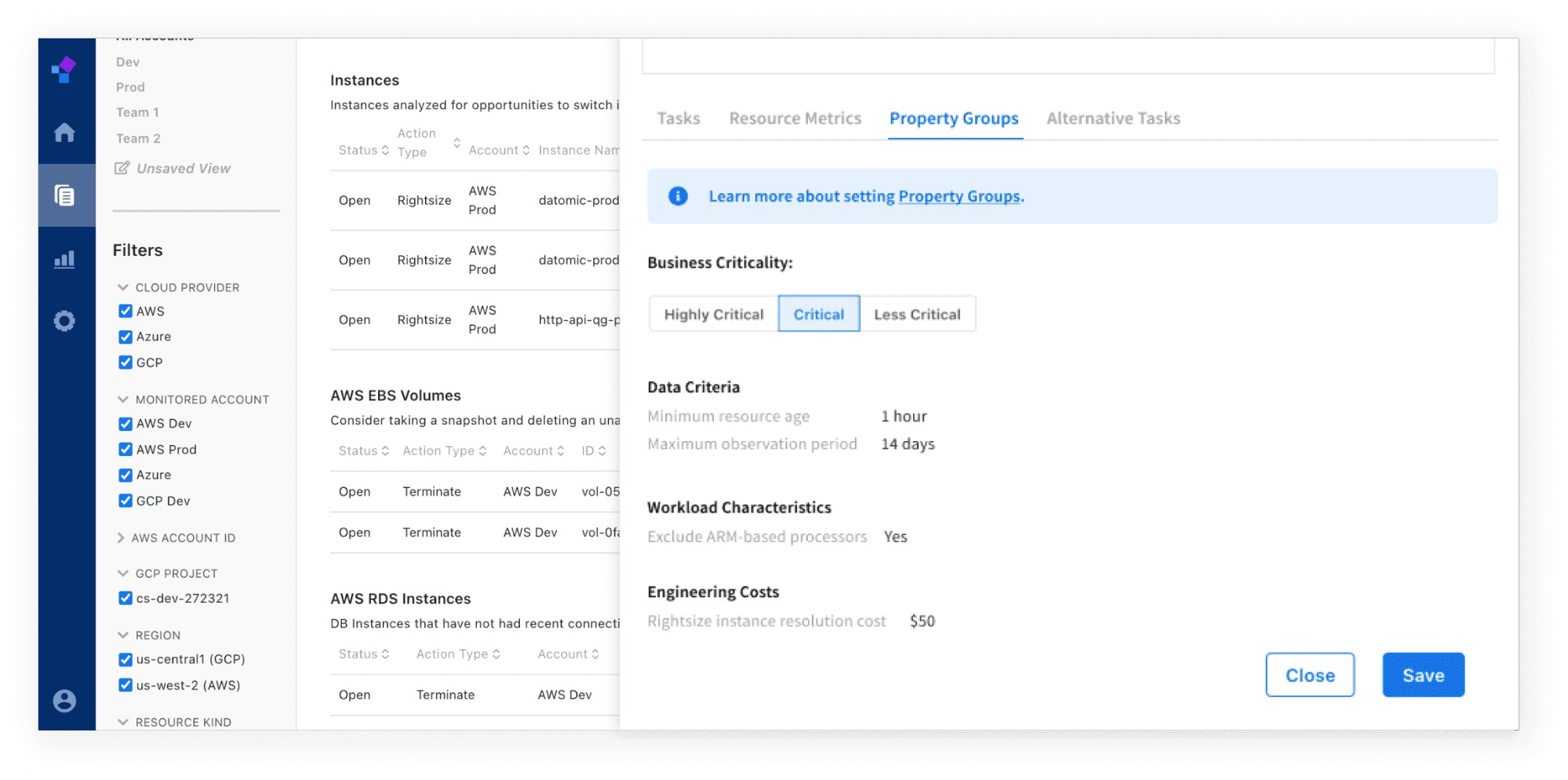
You can view Property Groups that have been set for your resource under the Action Item overlay’s “Property Groups” tab.
Setting Up a Property Group
You can set up a Property Group by tag, account, region, VPC, resource kind, resource ID, or any manner in which a group of resources can be identified. A Property Group contains a set of properties that are applied to the optimization recommendations (i.e., tasks) for that Group. Below are the Properties that can be applied. You may also request any other properties you would like.
To set up Property Groups, complete the Property Groups Template provided to you during onboarding.
Property Groups and Defaults
The defaults below are used when you first onboard onto the Compute Software Platform. You may change the values to finely tune your recommendations.
| Category | Property | Definition | Value | Default |
|---|---|---|---|---|
| Performance Cost | Business Criticality | How important the performance of your workload is to your business. | Highly Critical = $100Critical = $1Less Critical = $0.1 | Less Critical |
| Workload Characteristic | Minimum CPU | The minimum number of CPUs required to run your workload. | Number of CPUs (e.g., 4, 8) | None |
| Workload Characteristic | Minimum GPU | The minimum number of GPUs required to run your workload. | Number of GPUs (e.g., 2,4) | None |
| Workload Characteristic | Minimum Memory | The minimum amount of Memory required to run your workload. | Amount of Memory in GiB (e.g., 128, 256) | None |
| Workload Characteristic | Minimum IOPS | The minimum amount of IOPS required to run your workload. | Amount of IOPS (e.g., 500) | None |
| Workload Characteristic | Minimum Throughput | The minimum amount of Throughput required to run your workload. | Amount of Throughput (e.g., 4,000 MiB/s) | None |
| Workload Characteristic | Minimum Network Bandwidth | The minimum amount of Network Bandwidth required to run your workload. | Amount of Network Bandwidth in Gpbs (e.g., 10, 12, 25) | None |
| Workload Characteristic | Instance Types or Families | Specific instance types or families that your workload can or cannot run on. | Instance type or family (e.g., c5, g4ad) | None |
| Workload Characteristic | No ARM-Based | No ARM-based processor recommendations if your workload is not already running on an ARM-based processor. | Yes or No | None |
| Workload Characteristic | Changeable Virtualization | Your workload may be running on a virtualization type (e.g., paravirtual) and cannot switch to another virtualization type (e.g, HVM). | Yes or No | No |
| Data Criteria | Minimum Resource Age | The minimum amount of time after a resource has been created before it can be analyzed. | Number of days | Instances = 3 days Volumes = 3 hours Database instances = 12 hours |
| Data Criteria | Minimum Consecutive Metric Duration | The minimum duration of consecutive metrics before it can be analyzed. | Number of days | 0 days |
| Data Criteria | Maximum Observation Period | The maximum amount of data for Compute Software to use to create recommendations. | Number of days | Instances = 14 days Volumes = 30 days Database Instances = 30 days |
| Exclusion | Exclusion | Exclude any resources from analysis and metrics on the Compute Software platform. | Yes | None |